Your Winbiz evolves with you

Connect Winbiz to partner applications to save time, automate your processes and grow your business.

Discover
How it works

Activation steps

Choose, install and boost your productivity right away.

  1. 01

    Find the solution that fits your needs

    Browse the solutions available in our App Store and talk to our partner to confirm that it matches your expectations and your business.

  2. 02

    Order from the Winbiz App Store

    Confirm your order directly in the Winbiz App Store to start the activation of your solution.

  3. 03

    Install and activate your solution

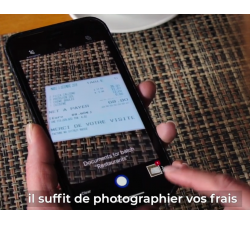
    For mobile applications, download the app from Google Play or the App Store on your smartphone, then follow the activation steps.

    For connections with partner solutions, simply follow the instructions provided by our partner to complete the configuration.

Subscription

Monthly payment, cancel at any time

You pay the right price every month and you stop whenever you want if the extension no longer suits you. No commitment, no bad surprises.

  • Monthly billing
  • No commitment
  • Cancel at any time
FAQ

Frequently asked questions

Everything you need to know before getting started.

What is the difference between an application and an extension?

Applications

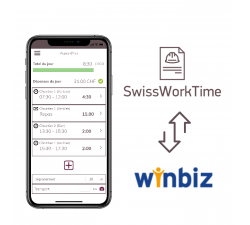
Applications are tools that work with Winbiz Cloud and add new features or make certain tasks easier. They are installed on your smartphone or your tablet (for example an iPhone, an iPad or an Android device).

Extensions

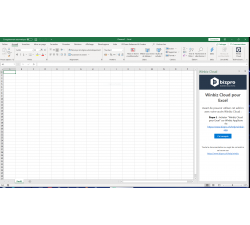
Extensions are add-on modules installed on your computer to add new features to Winbiz or to connect your software to another service.

Installation and activation of extensions are carried out by our partners. For more information or to proceed with the installation, please contact them directly through their website.

How do I use an application or an extension?

Using an application

  1. Choose the application that matches your needs in the Winbiz App Store.
  2. Download the application from Google Play (Android) or Apple's App Store (iPhone / iPad).
  3. Follow the partner's instructions to connect the application to your Winbiz Cloud environment.

Using an extension

  1. Choose the extension that matches your needs in the Winbiz App Store.
  2. Read the information provided by the partner.
  3. Contact the partner to proceed with the installation and configuration of the extension.

Each partner remains responsible for the installation, configuration and support of its own solution.

How can I access the extension after my order?

Once your order has been confirmed, we register you as an authorised user. You can then download the application from the Google Play Store or the Apple App Store and log in with your credentials.

How long does it take to activate my access?

Activation is usually carried out shortly after your order has been confirmed. You will receive a confirmation as soon as your access is available.

Is the extension compatible with Android and iPhone?

Yes, the application is available on the Google Play Store for Android and on the Apple App Store for iPhone and iPad.

Do I need Winbiz Cloud access to use the extension?

Yes, active Winbiz Cloud access is required to benefit from the features of the application and to ensure it works properly.

What should I do if I cannot log in?

Check that your access has been activated and that you are using the correct credentials, namely the Winbiz Cloud user you registered during the order process on our App Store. You can find your login details in your Member Area.

If the problem persists, contact our support by e-mail at support@winbiz.ch, who will be happy to help you.

Can I use the extension on several devices?

Yes, you can install the application on several devices, subject to the terms of the application and the access plan you have chosen.

Where can I get help or training?

For all questions related to the use of the application, please contact directly the provider of the application you purchased.

Winbiz only provides technical support for its own Winbiz solutions.